

Contract dates and auto-renewals
Contract dates in Contracko help you track when agreements end, when they renew, and when you need to provide notice for termination. The system handles both end-dated contracts that renew automatically and open-ended agreements without specific end dates.
End-dated contracts vs. open-ended contracts
Contracts in Contracko can be configured as either end-dated or open-ended:
End-dated contracts have a specific expiration date. These are common for:
- Software subscriptions (monthly or annual)
- Fixed-term service agreements
- Property leases with renewal terms
- NDAs with expiration dates
Open-ended contracts have no specified end date. These include:
- Ongoing vendor relationships
- Employment agreements without terms
- Permanent licenses
When you create a contract with an end date, you'll configure how renewals and notice periods work.
Setting up auto-renewal
Auto-renewal means the contract automatically extends unless you actively terminate it.
To configure auto-renewal:
- Open your contract in the editor
- Enter the End date when the current term expires
- Toggle Auto-renewal to enabled
- Set the Renewal period, for example:
- Monthly - Renews on the same day each month
- Custom days - Specify exact number of days (e.g., 28 days)
- Yearly - Renews annually on the same date
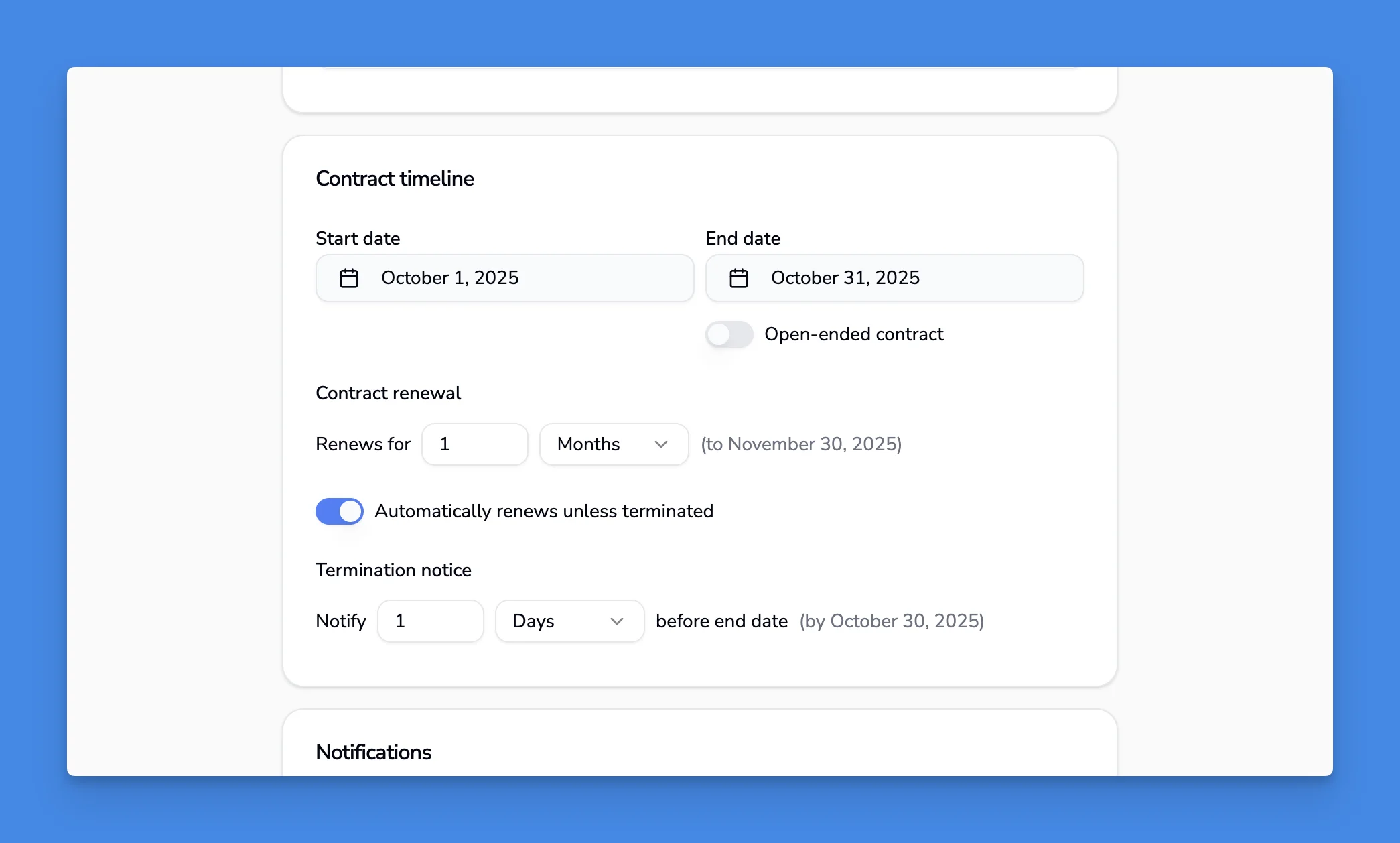
For software subscriptions, the renewal increment typically matches your billing cycle. If you pay monthly, set it to renew monthly. If you pay annually, set it to renew yearly.
Configuring notice periods
The notice period is the deadline by which you must notify the counterparty if you want to terminate or renegotiate the contract.
Common notice periods:
- Software subscriptions: 1 day (you can cancel anytime through the provider's interface)
- NDAs and service agreements: 1-3 months
- Property leases: 2-3 months
- High-value contracts: 3-6 months or longer
To set the notice period:
- In the contract editor, find Termination notice
- Enter the duration before the end date it's due
- Save the contract
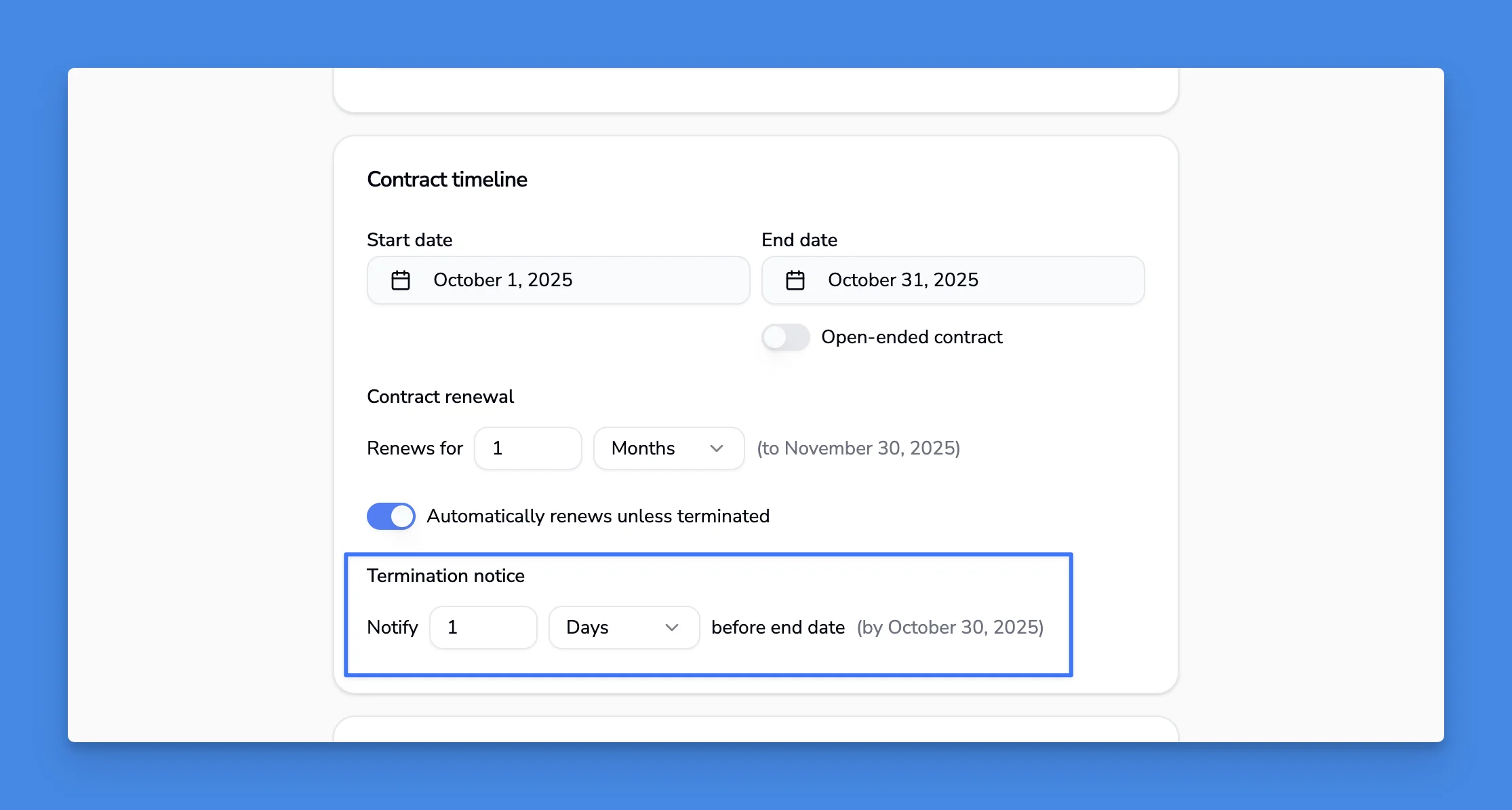
Contracko will remind you when the notice period approaches so you don't miss the termination deadline.
How automatic date rollover works
When a contract with auto-renewal reaches its end date, Contracko automatically pushes all dates forward by the renewal increment.
Example with monthly renewal:
- Current term: October 1 - October 31
- When October 31 arrives: Contract automatically updates to November 1 - November 30
- Notice period shifts forward by the same increment
This ensures your contract tracking stays current without manual updates. You can view the upcoming dates in the calendar to see when contracts will renew.
Example: Software subscription setup
Here's a complete example for a typical software subscription:
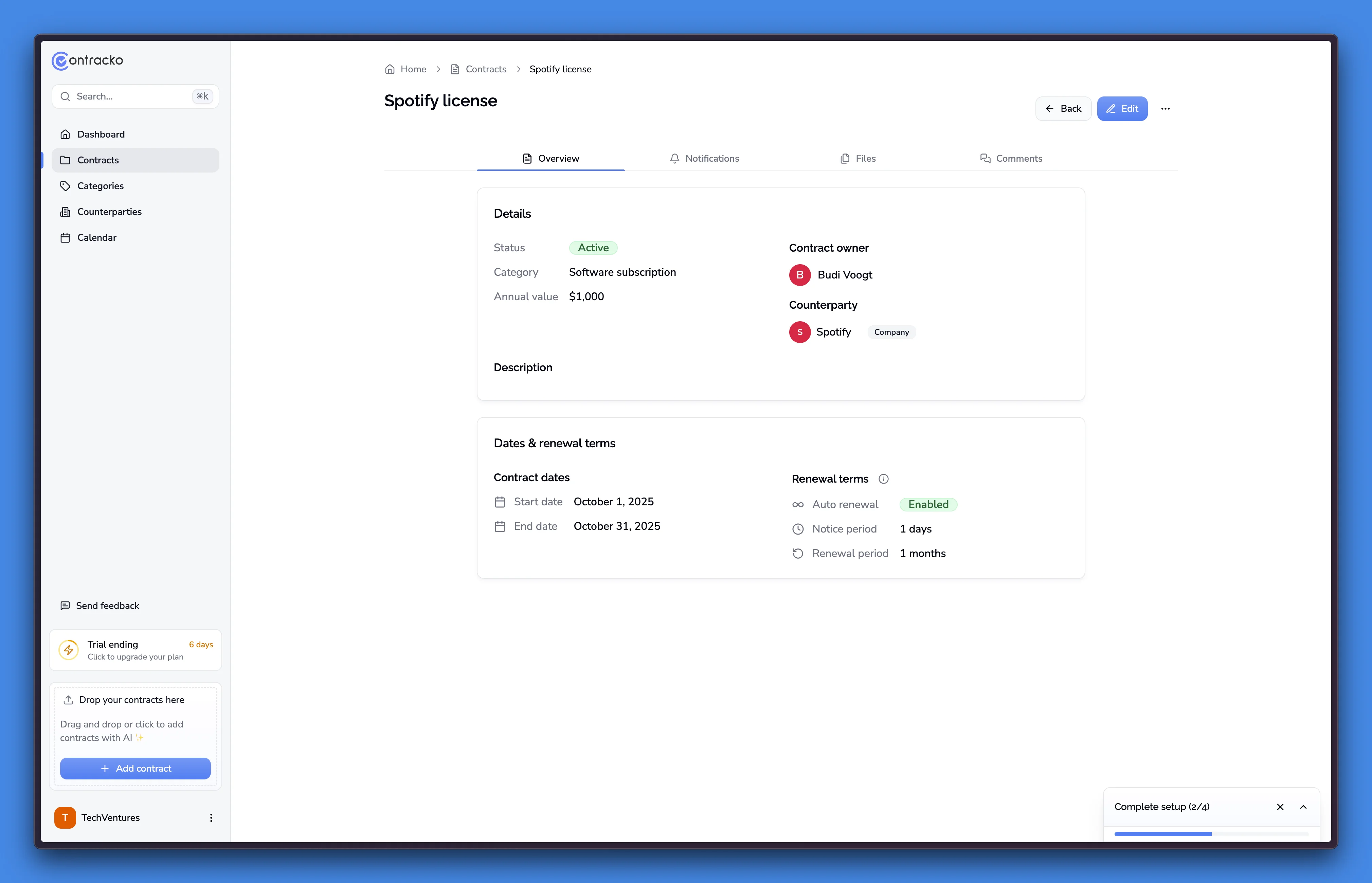
Spotify business subscription:
- Start date: October 1, 2025
- End date: October 31, 2025
- Auto-renewal: Enabled
- Renewal increment: Monthly
- Notice period: 1 day before end date
- Value: $1,000/year, billed monthly
This configuration means:
- Contract renews automatically each month
- You need to cancel at least 1 day before October 31 to avoid November charges
- On November 1, all dates automatically shift forward by one month
Tips
Match renewal increments to billing cycles - If you're billed monthly, set monthly renewals. If you're billed annually, set yearly renewals. This keeps your tracking aligned with actual charges.
Set realistic notice periods - For software you can cancel instantly, use 1 day. For negotiated contracts, check the actual termination clause and use that exact number of days.
Review the calendar monthly - Check upcoming end dates and notice periods at the start of each month so you have time to act on contracts you want to terminate.